
Commercial-First Planning
Projects are planned around property operations, infrastructure and the people responsible for the system.
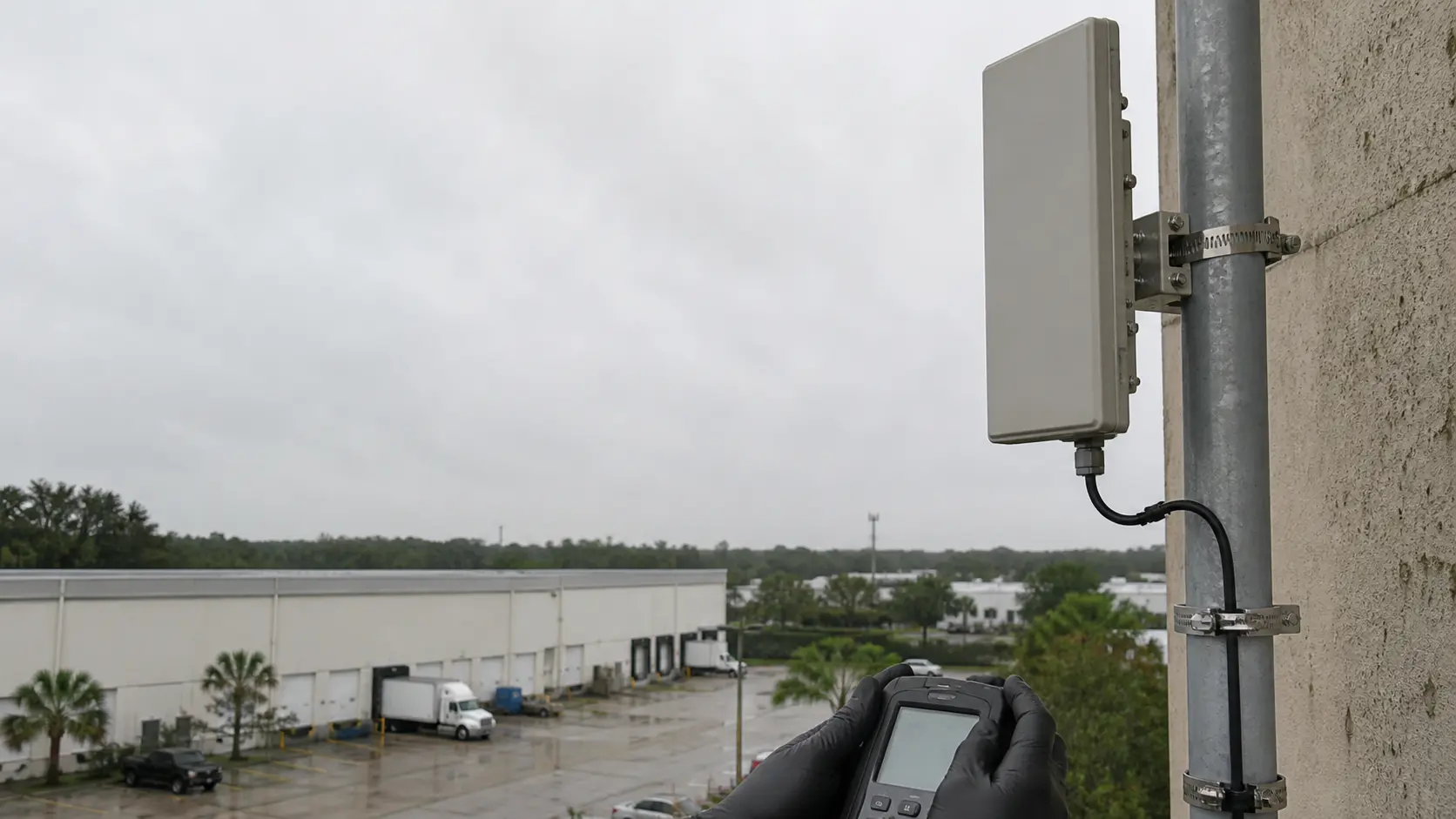
Commercial Camera Resource | Wireless systems
Wireless cameras can work for a business when RF coverage, backhaul capacity, local power and account security are engineered for the site. They are a poor shortcut when interference, unstable Wi-Fi or inaccessible power makes the link difficult to support.
A detached guard booth with power and clear line of sight may be a good candidate for a managed wireless bridge back to the main building. Wireless transport reduces some cabling, but it adds dependence on radio conditions, network ownership and continuing link health; most commercial cameras still need reliable power.
Projects are planned around property operations, infrastructure and the people responsible for the system.
Data Pro Communications operates under FL License #EC13016138.
Testing, labeling, credentials and known limitations are organized for the people who will operate and support the system.
Wireless cameras can work for a business when RF coverage, backhaul capacity, local power and account security are engineered for the site. They are a poor shortcut when interference, unstable Wi-Fi or inaccessible power makes the link difficult to support.
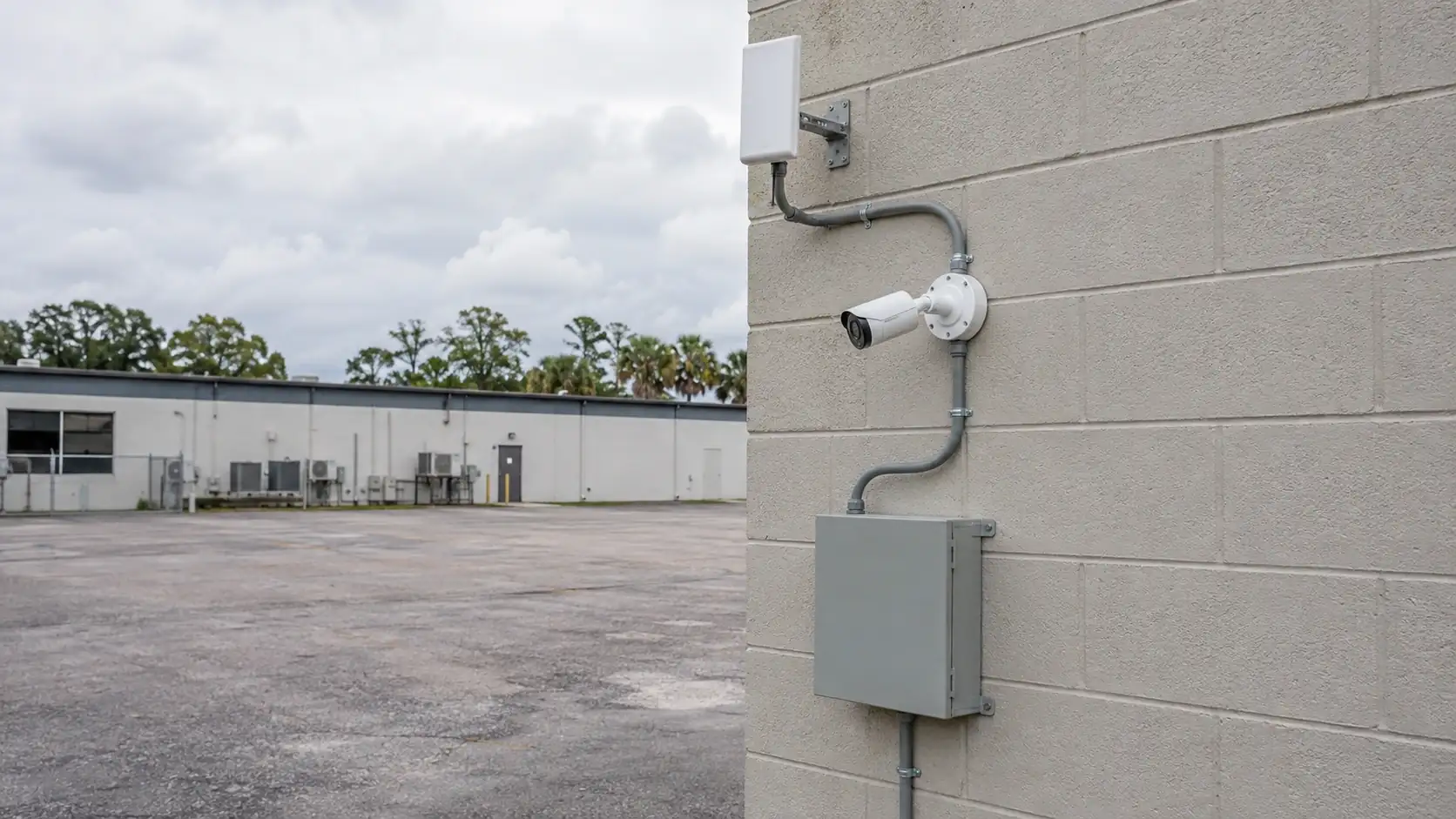
A wireless camera is suitable only if its mounting location has dependable power and a radio path with enough capacity for sustained video. Normal Wi-Fi coverage elsewhere in the building does not prove that the camera link will be stable.
RF interference can reduce usable throughput, increase retransmissions and cause unstable or dropped camera streams.
Confirm the actual source and available wattage at each wireless camera location; voltage drop, undersized adapters or shared circuits can cause restarts even when the radio link is healthy.
An undersized backhaul can become congested when several cameras transmit at expected bitrates, reducing live-view or recording performance.
Shared or weak credentials make unauthorized access harder to prevent and remove accountability for configuration changes.
Cameras or enclosures that cannot be reached safely may remain dirty, misaligned or offline. Confirm lift access, working clearance and telecom-room entry before selecting the mount.
Check power, RF path, interference, expected bitrate and service access at each proposed mounting point before deciding whether wireless transport is practical.
Measure signal-to-noise, interference and actual throughput at the proposed camera location while the link carries video.
Calculate local power availability from device class, startup and auxiliary load, switch or local capacity, cable loss and backup-power requirements; then test a restart.
Calculate expected aggregate camera traffic and compare it with usable uplink capacity and headroom under concurrent recording and playback.
Use unique accounts, strong authentication and controlled recovery instead of shared passwords that cannot be traced to a user.
Confirm that cameras, enclosures and network equipment can be reached safely for cleaning, realignment, power checks and credentialed service after the installation is complete.
A detached guard booth with power and clear line of sight may be a good candidate for a managed wireless bridge back to the main building.
A busy concrete warehouse with congested Wi-Fi and metal racking may be more reliable with a protected wired camera path.
A parking-lot camera needs a dependable power source and a backhaul path that remains stable across the full outdoor route. Confirm a weather-rated local power source and measure the proposed radio path before treating wireless transport as a substitute for an exterior cable route.
Finished ceilings and changed room layouts can restrict new cable routes, radio placement and future service access. Survey RF conditions after the renovation is occupied and test the intended stream load; a clear room during construction does not represent normal interference.
Separate buildings require a documented path between local camera power, the network edge and the recording system. Map each building's camera power, bridge or access point, network segment and recorder destination so an outage can be isolated without shared administrator accounts.
Temporary coverage still needs controlled accounts, reliable power and a plan for removing equipment and access when the need ends. Set an end date, access owner and removal procedure, and do not rely on battery life or general-purpose Wi-Fi for coverage the business considers continuous.
Property suitability comes down to reliable power, stable RF conditions, sufficient throughput and a practical way to service the device. If one of those conditions cannot be met, a wired camera or managed bridge may be the more supportable design.
Measure interference and signal quality on the proposed path while cameras are streaming; check channel use, obstruction, link margin and recovery after a brief interruption.
Engineering inputs for local power availability include device power class, startup load, switch budget, cable loss, backup power and port behavior; confirm both per-port and total capacity and document restart behavior.
Calculate expected camera traffic against the real uplink and switch path, then test concurrent live view, recording and playback so the backhaul is not sized from nominal link speed alone.
Administration of credential security requires account ownership, least-privilege roles, approval, revocation, export rights and audit history, with separate permissions for viewing, export and system changes.
Maintenance planning should show how technicians reach each camera and enclosure, which credentials and keys are needed, and where device and cable labels are recorded.
Wireless camera transport depends on wireless interference, local power availability and bandwidth and backhaul. Document the access point or bridge, local power source, network segment and recorder path so a weak radio link is not confused with a camera or recording fault.
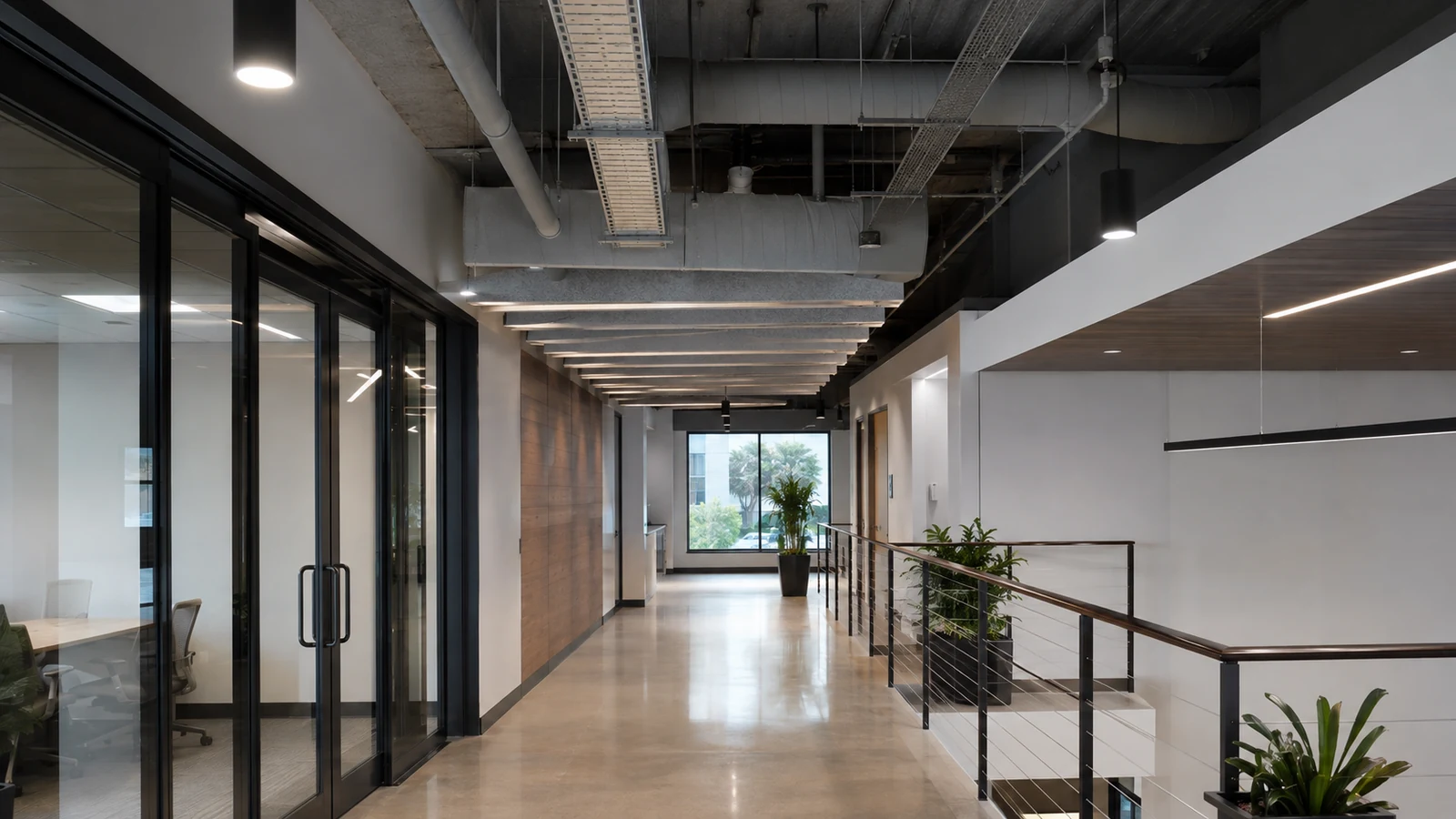
On an Orlando commercial property, wireless backhaul should be evaluated from the actual mounting location, available power, RF path, interference and network capacity rather than from signal bars alone.
If RF conditions make wireless uncertain, the library’s PoE, structured-cabling and network guides provide wired alternatives and power-planning context.
Camera Services is relevant when RF or power testing shows that a wired PoE camera, different mounting location or network change is a better fit than the proposed wireless path.
A field visit can measure the proposed radio path, available power and network connection at the actual camera location when drawings cannot show interference or obstruction.
Wireless transport is practical when reliable power is available at the camera and the measured RF path can carry the expected video traffic. If interference, distance or backhaul stability remains uncertain, a wired or managed point-to-point design is usually easier to support.
Verify reliable power at each camera location and trace the proposed wireless path to the access point or bridge. Walls, distance, exterior exposure and structural obstructions can make ordinary building Wi-Fi unsuitable even when a phone shows signal.
Measure interference, signal quality and usable throughput at the intended mounting point while the network is under representative use. Compare the measured capacity with the expected camera bitrate and the number of simultaneous streams.
Decide whether the camera will use an access point, wireless bridge or other managed connection, then place it on the appropriate network segment with controlled credentials. If the radio path is unstable, evaluate wired PoE or fiber instead of forcing a wireless design.
Confirm live view, recording and playback, then intentionally interrupt radio, network or power and verify the camera reconnects and resumes recording as expected. A successful initial connection does not prove the link will recover reliably.
Data Pro Communications - South Orlando is operated by Data Pro Communications. Florida low-voltage work is performed under FL License #EC13016138.
A suitable property has stable RF conditions or a designed wireless bridge, reliable local power, adequate backhaul, controlled credentials and a support plan for link failures.
Measure signal quality, usable throughput, retransmissions and packet loss at each camera location while the property network carries a representative load. Repeat the test during the times or activity most likely to increase interference.
For local power availability, add device and auxiliary load, compare it with switch or local-power capacity, account for cable loss and backup power, and observe restart behavior in business wireless cameras.
Measure the combined camera bitrate against the wireless backhaul and uplink capacity, then check loss, retries and recording continuity while all planned streams are active.
Use named administrator and viewer accounts, give each role only the access it needs, and document who approves changes. Remove stale users promptly and avoid sharing the account used for network or system administration.
For maintenance access, agree on work hours, occupied areas, ceiling and room access, lift routes, shutdown limits, cleanup and the person who can approve a field change.
Wireless cameras are a practical fit when the mounting locations have reliable power, the measured RF path is stable, the backhaul can carry the expected streams and account ownership is controlled.
Existing Wi-Fi may be usable when RF coverage, sustained throughput, local power, segmentation and network ownership are adequate at every camera location. A strong signal reading by itself is not enough.
Interference, weak link margin, congested airtime, inadequate backhaul or unstable local power can interrupt video. Shared credentials and unmanaged network changes also make the system harder to support.
Record all planned cameras during representative network load and interference, review stored video, test remote access and confirm that cameras reconnect correctly after a controlled loss of power or connectivity.
Before choosing wireless camera transport, verify power, RF conditions, expected throughput and the recovery plan at the intended mounting locations.