
Commercial-First Planning
Projects are planned around property operations, infrastructure and the people responsible for the system.
Commercial Camera Resource | Residential systems
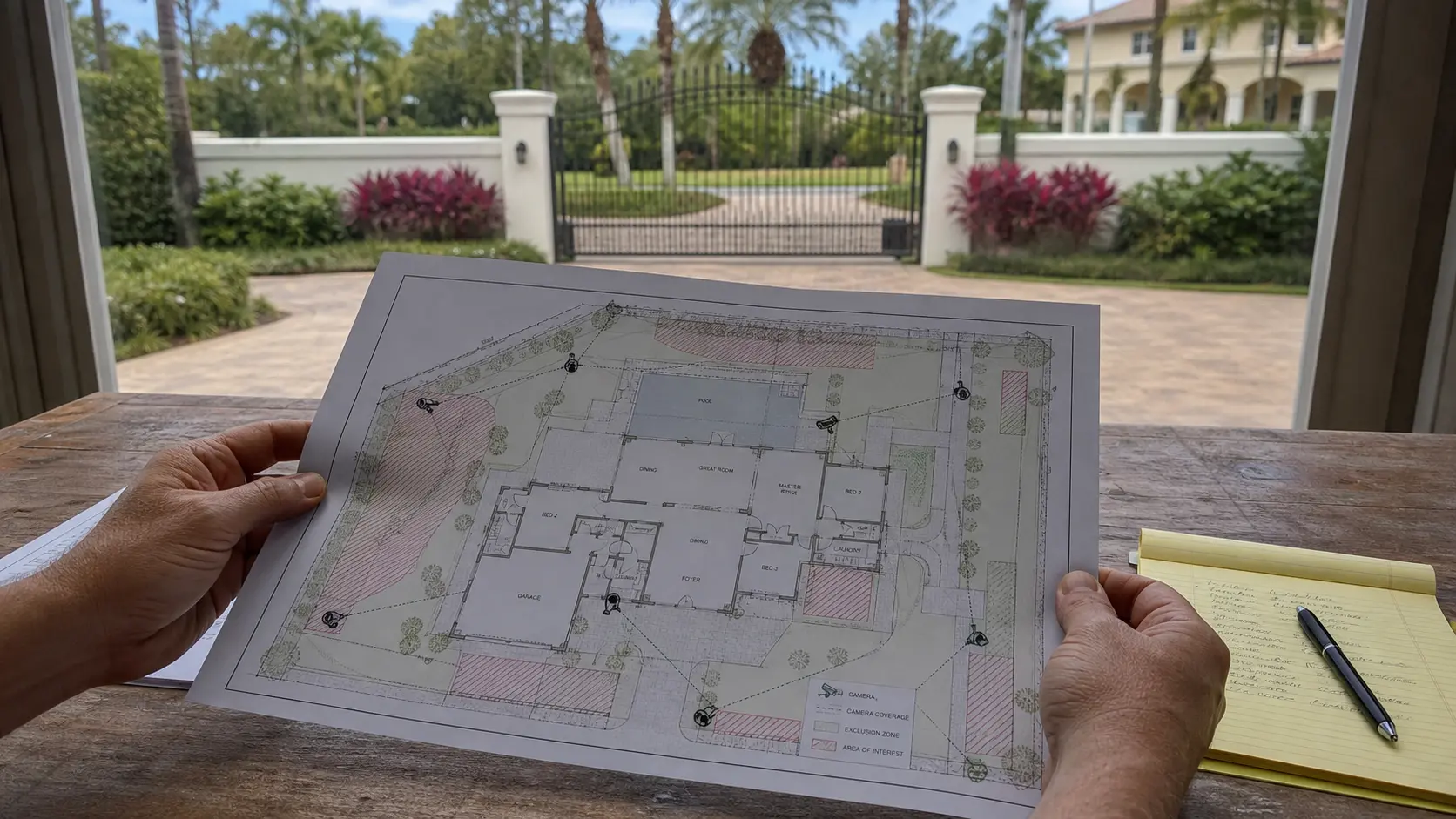
Camera planning for a larger home should define property-boundary views, entrances and driveways, privacy exclusions, household and staff permissions, retention and the way the system will be maintained.
A driveway overview can show vehicle movement while a separate gate camera captures the person or vehicle at the call point. Broader coverage can improve context but increases privacy, storage and account-management responsibilities, especially where cameras face neighboring or public areas.
Projects are planned around property operations, infrastructure and the people responsible for the system.
Data Pro Communications operates under FL License #EC13016138.
Testing, labeling, credentials and known limitations are organized for the people who will operate and support the system.
Camera planning for a larger home should define property-boundary views, entrances and driveways, privacy exclusions, household and staff permissions, retention and the way the system will be maintained.
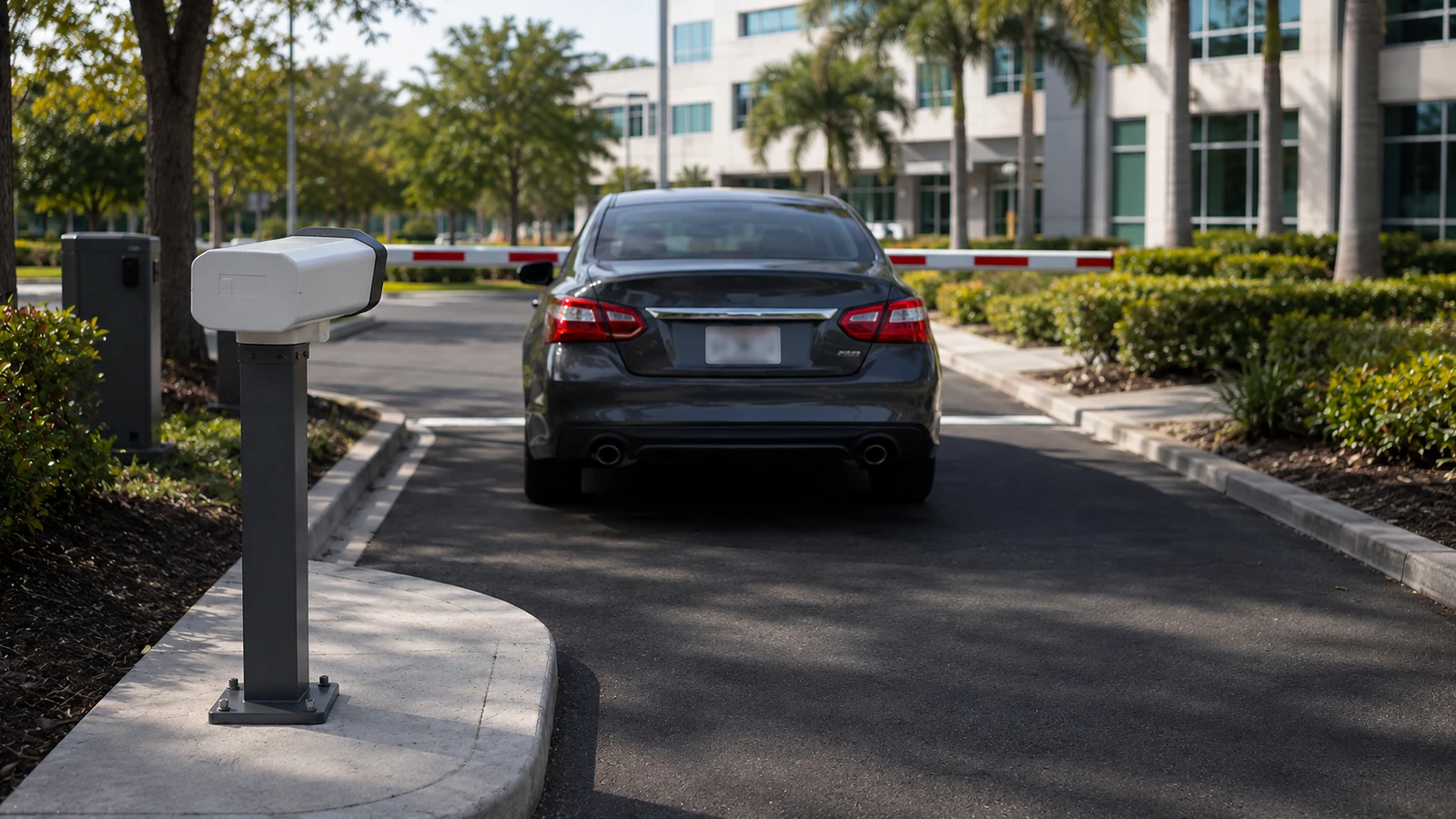
Boundary coverage can look simple when the driveway is empty, but parked vehicles, landscaping and normal traffic may change what the camera can see.
A driveway camera aimed too broadly can capture vehicle movement without producing a useful plate, driver or approach view.
Residential cameras should stop at the property’s own entrances, driveway and usable boundary views rather than treating neighboring windows, yards or unrelated public activity as coverage targets.
A shared residential account can give household staff or service providers more playback or configuration access than intended.
Residential retention should be calculated from camera count, bitrate and recording schedule, then checked by reviewing the oldest available footage after the system has been running.
A residential camera view can be technically clear but still cover the wrong approach or extend beyond the property's security purpose.
Walk the actual property edges and approaches to confirm what can be covered without pointing cameras into neighboring private areas or creating views that are too wide for identification.
Set separate context and identification goals for driveway approaches, gates and doors, then choose angle and lens for the required target distance.
Set boundaries for neighbor and public-area privacy from the required scene, private areas, authorized reviewers, export handling and documented retention purpose.
Separate household, staff and service-provider permissions so routine viewing does not automatically grant configuration or export rights.
Estimate retained days from actual camera bitrates and schedules, then compare the calculation with the oldest playable footage after normal operation.
Keep the final camera views, privacy exclusions, account ownership and recorder settings with the property record so future service starts from the installed condition.
A driveway overview can show vehicle movement while a separate gate camera captures the person or vehicle at the call point.
A pool or private outdoor area may be deliberately excluded even when nearby access routes remain covered.
A long driveway may require a dedicated identification point because one wide overview cannot preserve useful detail across the full approach. Use a controlled driveway point for identification and avoid widening the scene into neighboring or public areas without a security purpose.
Named permissions help distinguish everyday household use from administration, export and service access. Separate family, household-staff and administrator permissions and document who approves remote and export access.
Guest arrivals may involve a gate, intercom or controlled entrance, so the camera view should support that workflow without covering unrelated private areas. Coordinate guest views with gate or intercom activity while keeping retention appropriate to the property's review needs.
Boundary views should be limited to the security purpose and checked for neighboring or public areas that do not belong in the scene. Record accepted views, accounts, concealed pathways, retained equipment and future service responsibility at handoff.
Walk the actual property edges and approaches to confirm what can be covered without pointing cameras into neighboring private areas or creating views that are too wide for identification.
Evaluate entry and driveway coverage through scene width, target distance, lens, pixel density, light, compression and required detail; the accepted result should come from recorded playback in the actual scene.
Controls for neighbor and public-area privacy should address camera purpose, field of view, private areas, authorized reviewers, retention and applicable property policy and exclude footage or access that is not needed for the documented purpose.
Administration of family and staff permissions requires account ownership, least-privilege roles, approval, revocation, export rights and audit history, with separate permissions for viewing, export and system changes.
Calculate recording retention with camera count, resolution, codec, bitrate, recording schedule, usable capacity and retrieval period, using usable rather than headline capacity and a verification from the running recorder.
Review each accepted view with the owner, including privacy boundaries, nighttime playback, account permissions, retention and future service access.
Implementation of planning security cameras for a larger home should coordinate entry and driveway coverage, neighbor and public-area privacy and family and staff permissions with the camera and recording platform.
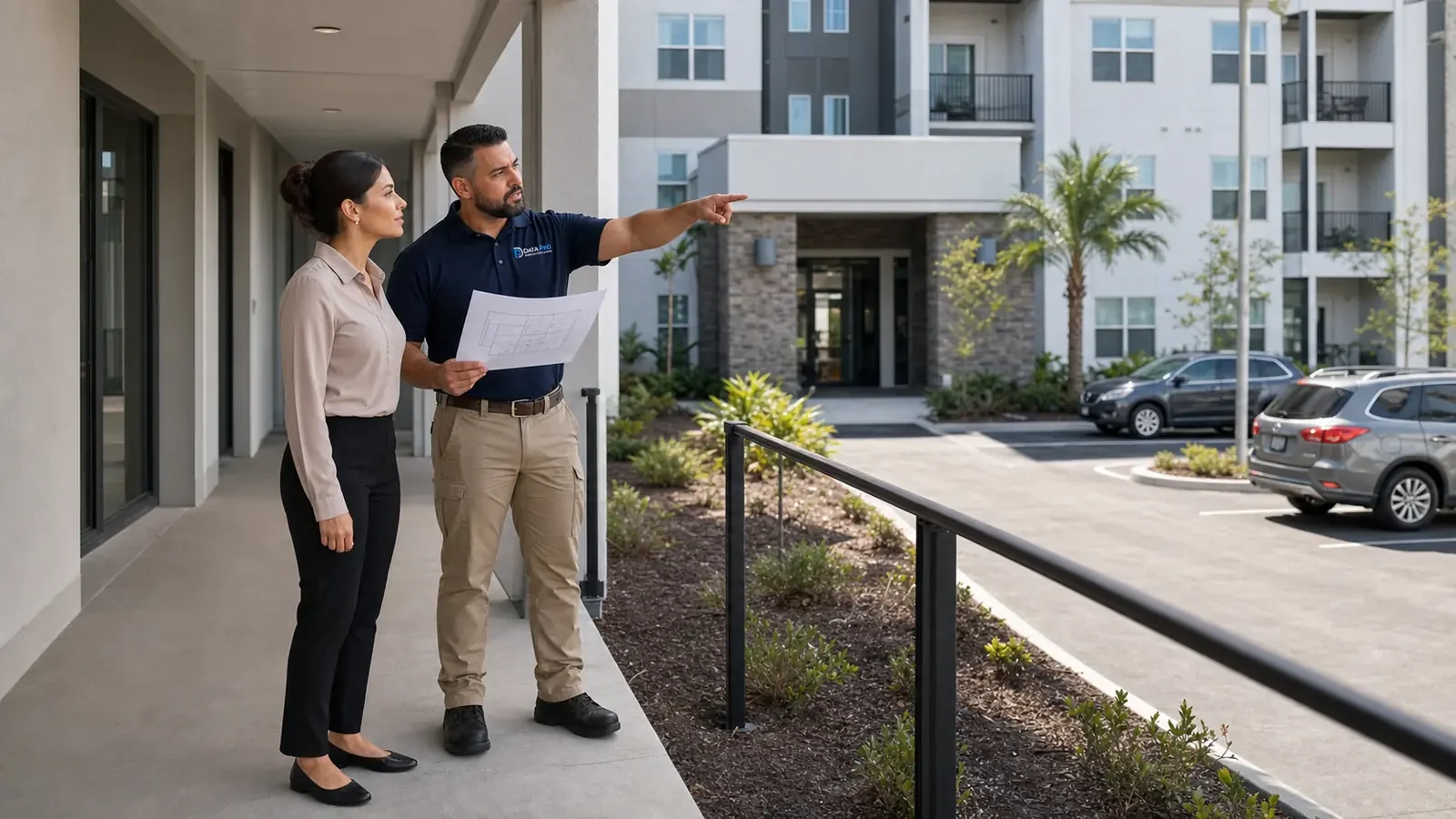
For a larger Orlando home, camera planning should define the views needed at property boundaries, driveways, entrances and detached areas while keeping neighboring or unrelated public spaces out of the design where practical. Cable routes, power, recording and access should then be planned around those approved views rather than selecting devices first.
Larger-home planning can continue into placement, privacy, recording and remote-access topics when permanent coverage must support household and staff workflows.
Camera Services can translate residential coverage and privacy decisions into final camera locations, recording settings and user permissions for a larger home.
A site review can resolve property-boundary views, driveway distances and privacy exclusions that are difficult to judge accurately from floor plans or photos.
A buildable project resolves property-boundary views, entry and driveway coverage and neighbor and public-area privacy before field work and closes with verified recording retention and placement review and handoff.
Identify the entrances, driveway, yard or interior areas that matter and decide what should remain outside the camera view. Coverage should answer specific household or property-security needs without recording unnecessary neighboring areas.
Check how each camera will be mounted and how cable will reach the network or recorder without exposed, fragile or inaccessible routing. The recorder and network equipment should be placed where they can be powered, cooled and serviced.
Coordinate drilling, attic or crawlspace access and device mounting so the work does not damage finished surfaces or block normal use of the home. Exterior penetrations should be sealed and camera positions should remain reachable for service.
Confirm each recorded view, basic alert behavior and the accounts the homeowner will use for local or remote access. Demonstrate playback and export so the owner knows how to retrieve footage rather than relying only on live notifications.
Data Pro Communications - South Orlando is operated by Data Pro Communications. Florida low-voltage work is performed under FL License #EC13016138.
Aim cameras at the driveway, gate or property approach that serves the security purpose. Check tree growth, vehicles, night lighting and neighboring or public areas before accepting the view.
For entry and driveway coverage, start with the event the camera must explain, then check the approach path, normal obstructions, mounting position and recorded detail from the proposed view.
For neighbor and public-area privacy in planning security cameras for a larger home, define the required security scene, exclude private or unrelated areas, limit authorized reviewers and align retention with the documented property purpose.
Give each person only the live-view, playback or gate functions needed for their role. Keep export and administrative control with named owners, and remove access when household or service responsibilities change.
For planning security cameras for a larger home, calculate recording retention from camera count, resolution, codec, bitrate, recording schedule and usable capacity; verify the result through oldest-footage review and an export.
For placement review and handoff, provide camera names and locations, account ownership, user roles, playback and export steps, test results, retained equipment and known limitations.
Confirm property-boundary views, entry and driveway coverage, neighbor and public-area privacy and the person who can approve access and field changes.
The property representative should define privacy and coverage goals, while the person controlling network, gates or building access confirms the infrastructure and entry needed for installation.
Yes. Concealed conduit and cable can be installed before finishes, detached-building and gate links can follow site work, and cameras can be mounted and commissioned after final lighting, network and access conditions are available.
Check concealed pathways, detached-building links, gate or intercom wiring, network ownership, local power and recording equipment. Confirm which components are supportable before planning around their reuse.
If records or a walkthrough cannot resolve property-boundary views, entry and driveway coverage and neighbor and public-area privacy, request a site survey before installation assumptions become committed labor or hidden work.